Imagine you visit your favorite online store every day. The website loads faster each time, and it remembers your login details and preferences. Behind the scenes, two important technologies cache and cookies are working to improve your experience.
Understanding the difference between cache and cookies helps you see how websites store data and optimize performance. While both are small pieces of stored data, the difference between cache and cookies lies in their purpose and behavior.
Many users confuse them, but the difference between cache and cookies is crucial for privacy, speed, and usability.
By exploring the difference between cache and cookies, you’ll gain better control over your browsing experience and digital footprint.
Key Difference Between the Both
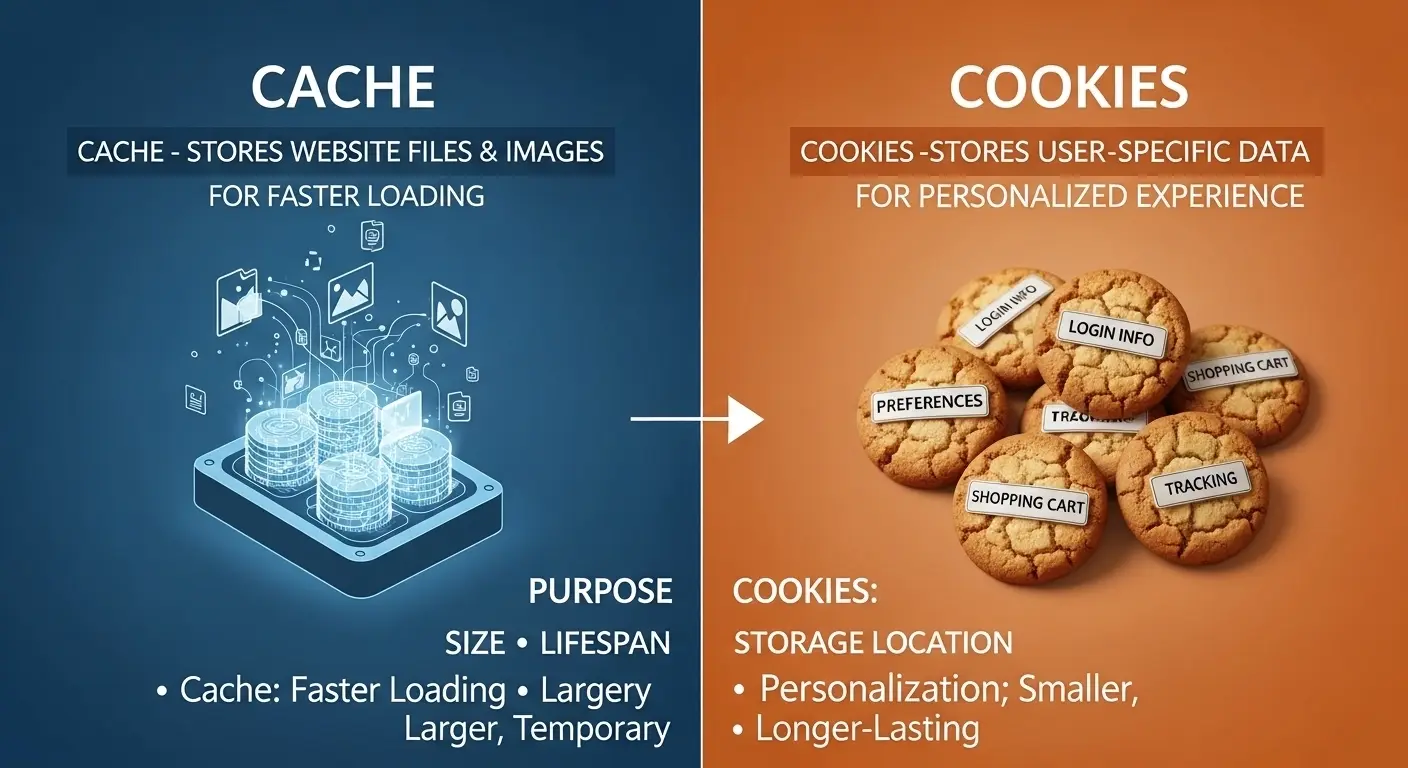
Cache stores temporary files like images and scripts to speed up loading times, while cookies store user-specific data such as login sessions and preferences.
Why Is Their Difference Necessary to Know for Learners and Experts?
Understanding cache and cookies is essential in today’s digital society. For learners, it builds foundational knowledge about how the internet works. For professionals, especially developers and cybersecurity experts, it helps in optimizing performance and ensuring data privacy.
Knowing their differences empowers users to manage storage, troubleshoot browser issues, and protect personal information. In a world driven by data, this knowledge is not just technical it’s practical and necessary.
Pronunciation (US & UK)
- Cache:
- US: /kæʃ/
- UK: /kæʃ/
- Cookies:
- US: /ˈkʊkiz/
- UK: /ˈkʊkiz/
Difference Between Cache and Cookies
1. Purpose
- Cache: Speeds up website loading
- Example 1: Images load faster on repeat visits
- Example 2: CSS files don’t reload each time
- Cookies: Store user data
- Example 1: Keeps you logged in
- Example 2: Saves language preferences
2. Data Type
- Cache: Stores static files
- Example 1: HTML pages
- Example 2: JavaScript files
- Cookies: Stores personal information
- Example 1: Username
- Example 2: Shopping cart items
3. Storage Location
- Cache: Stored in browser memory or disk
- Example 1: Chrome cache folder
- Example 2: App cache storage
- Cookies: Stored as small text files
- Example 1: Browser cookie file
- Example 2: Website-specific storage
4. Size Limit
- Cache: Larger storage capacity
- Example 1: Hundreds of MBs
- Example 2: Stores full media files
- Cookies: Very limited (about 4KB)
- Example 1: Small session ID
- Example 2: Minimal user data
5. Lifespan
- Cache: Temporary but can last longer
- Example 1: Cleared manually
- Example 2: Overwritten automatically
- Cookies: Expire after a set time
- Example 1: Session cookies
- Example 2: Persistent cookies
6. Privacy Impact
- Cache: Minimal privacy concerns
- Example 1: Stores non-personal data
- Example 2: No tracking
- Cookies: Can track users
- Example 1: Ad tracking
- Example 2: Behavior analysis
7. Functionality
- Cache: Improves performance
- Example 1: Faster page load
- Example 2: Reduced server load
- Cookies: Personalizes experience
- Example 1: Remember login
- Example 2: Custom ads
8. Security
- Cache: Less vulnerable
- Example 1: No sensitive data
- Example 2: Limited risk
- Cookies: Can be exploited
- Example 1: Session hijacking
- Example 2: Tracking abuse
9. Clearing Impact
- Cache: Slows down websites temporarily
- Example 1: Images reload
- Example 2: Pages take longer
- Cookies: Logs you out
- Example 1: Need to sign in again
- Example 2: Preferences reset
10. Usage Scope
- Cache: Used for all users
- Example 1: Shared resources
- Example 2: Common assets
- Cookies: User-specific
- Example 1: Individual login
- Example 2: Personalized settings
Nature and Behaviour
- Cache: Passive, performance-focused, non-personal
- Cookies: Active, user-focused, data-driven
Why People Are Confused About Their Use?
People often confuse cache and cookies because both are stored in browsers and affect website behavior. They are usually cleared together in browser settings, which makes users think they serve the same purpose. Additionally, both improve user experience, but in different ways leading to misunderstanding.
Table: Difference and Similarity
| Feature | Cache | Cookies | Similarity |
| Purpose | Speed | Personalization | Improve user experience |
| Data Type | Static files | User data | Stored in browser |
| Size | Large | Small | Limited storage |
| Privacy | Low concern | High concern | Data storage involved |
Which Is Better in What Situation?
Cache is better when speed and performance matter. For example, if you frequently visit a website, cache ensures faster loading by storing images and scripts locally. It reduces server load and enhances browsing efficiency, making it ideal for regular users and developers focusing on optimization.
Cookies are better when personalization is required. They help websites remember your preferences, login details, and settings. For example, online shopping sites use cookies to store cart items. They are essential for customized user experiences but must be managed carefully for privacy.
Metaphors and Similes
- Cache is like a “shortcut drawer” that keeps frequently used items handy.
- Cookies are like a “personal diary” that remembers your preferences.
Connotative Meaning
- Cache: Neutral to positive
- Example: “The system’s cache improved performance.”
- Cookies: Neutral to slightly negative (due to tracking)
- Example: “Cookies tracked user behavior.”
Idioms or Proverbs
(No direct idioms exist, but adapted usage:)
- “Keep it in cache” (meaning: remember temporarily)
- “That’s how the cookie crumbles”
- Example: “We lost our session data, but that’s how the cookie crumbles.”
Works in Literature
- The Cookie Jar Mystery (Children’s Mystery, Carolyn Keene, 1998)
- Cache Memory Book (Technical, Jim Handy, 1998)
Movies Related to Keywords
- Cookie (1989, USA)
- The Fortune Cookie (1966, USA)
FAQs:
1. What is the main difference between cache and cookies?
Cache stores website files, while cookies store user data.
2. Are cookies dangerous?
Not always, but they can track user behavior.
3. Does clearing cache delete passwords?
No, but clearing cookies may log you out.
4. Why is cache important?
It improves website speed and performance.
5. Can I disable cookies?
Yes, but it may affect website functionality.
How Both Are Useful for Surroundings
Cache reduces internet load and speeds up browsing, benefiting networks and servers. Cookies improve user interaction, making digital environments more personalized and efficient.
Final Words for Both
Cache and cookies are essential tools in web browsing. One enhances speed, while the other enhances personalization. Together, they create a seamless online experience.
Conclusion:
In summary, understanding the difference between cache and cookies is vital in today’s digital world. While cache focuses on improving performance by storing static data, cookies enhance user experience by saving personal information.
Both serve unique roles and are equally important. By knowing how they work, users can manage their browsers more effectively, protect their privacy, and enjoy faster browsing. Whether you are a beginner or an expert, mastering the difference between cache and cookies helps you stay informed and in control of your online activities.

I am an English language writer and editor with over 10 years of experience in explaining confusing English words, grammar rules, and word usage differences. I specialize in making complex language topics simple, clear, and practical for everyday readers.
At diffruli.com, I am helping learners to understand common English word differences such as spelling variations, similar meanings, and correct usage in American and British English. My writing style is reader-friendly, example-driven, and designed to improve confidence in written and spoken English.